
Ecommerce SEO
Ecommerce Traffic Dropped Suddenly: Where Category and Product Rankings Go
An online store traffic drop rarely affects the entire site equally. Here is how to diagnose faceted navigation crawl traps, out-of-stock canonicalization, schema breakage, and Merchant Center desyncs.

Key takeaways
- Isolate ecommerce traffic drops by URL path to separate category collection declines from individual product SKU losses.
- Audit faceted filter parameters: unconstrained facet links create millions of low-value URLs that consume crawl budget and dilute category equity.
- Unify product variant canonicalization to prevent Shopify duplicate collection paths from splitting link authority.
- Preserve out-of-stock product URLs with proper schema availability rather than triggering accidental soft 404 exclusions or broken links.
- Verify Product and Offer JSON-LD schema and Google Merchant Center feeds to recover rich snippet star ratings and shopping grid placement.
Isolate category losses from product SKU declines
When organic traffic plummets on an online store, business owners often treat the event as a mysterious sitewide penalty. In practice, ecommerce search traffic drops rarely hit the entire catalog uniformly. Online store architectures consist of two distinct commercial layers that serve completely different user intents: category collection pages and product detail pages (PDPs).
Category pages target broad, high-volume transactional queries like "women's waterproof hiking boots" or "solid oak dining tables". These pages rely heavily on internal link equity passed down from primary navigation menus, topical heading structures, and product count depth. Product detail pages, by contrast, target specific, long-tail queries like "Salomon Quest 4 Gore-Tex size 11" or individual manufacturer part numbers. Product page traffic depends on distinct product titles, structured data rich snippets, and precise inventory availability.
The first step in any ecommerce traffic drop diagnosis is segmenting your performance data by URL structure in Google Search Console. Navigate to the Performance report, select the Pages tab, and apply a page filter using regular expressions to isolate "/collections/" or "/category/" paths from "/products/" paths. If your traffic drop concentrates on category URLs while product pages hold steady, your problem involves category taxonomy changes, internal link dilution, or faceted navigation traps. If the decline concentrates on product pages, the root cause usually points to out-of-stock handling, variant canonical drift, or structured data errors.
Applying a simple regex filter to separate category collections from individual product URLs eliminates half of all potential root causes within five minutes.
Product variant canonicals and duplicate path loops
Product variants and duplicate URL pathways represent another frequent failure point in online stores, especially on platforms like Shopify, Magento, and WooCommerce.
On Shopify stores, a product detail page is accessible through multiple URL paths by default. A customer can reach a boot product via the root path "/products/leather-work-boot" or via a collection-scoped path such as "/collections/mens-footwear/products/leather-work-boot". If your store theme uses collection-scoped URLs in its internal links, grid cards, and navigation menus, Googlebot discovers thousands of duplicate paths for the same physical items. Although Shopify themes include a rel=canonical tag pointing to the root "/products/" URL, Google often ignores canonical tags when the overwhelming majority of internal links point to collection-scoped URLs. This splits page authority and triggers canonical conflicts in Search Console.
Variant URLs create a related challenge. When an item comes in multiple colors or sizes, some stores assign unique URLs with parameters ("?variant=894123") or distinct slugs ("/products/leather-work-boot-black"). If these variant URLs use self-referential canonical tags without providing distinct product descriptions, unique images, and specific customer reviews, Google flags them as thin duplicate content. Conversely, if all color variants canonicalize to the parent product, but the parent product page does not display the specific color name or image, you forfeit the ability to rank for color-specific search queries. The standard solution is canonicalizing all minor variants (like sizes) to the primary product URL, while maintaining distinct, fully developed URLs and self-referential canonicals only for high-demand variants that have dedicated search volume.
“Internal links determine how search engines distribute authority. If your site navigation links to collection-scoped URLs while your canonical tag points to root URLs, you force Google to guess which path matters.”
How out-of-stock inventory triggers soft 404 exclusions
Inventory turnover is constant in retail, but mishandling out-of-stock and discontinued merchandise can wipe out years of accumulated search visibility in a matter of weeks.
When items sell out, merchandising teams often unpublish the product in the ecommerce backend. This immediately turns the ranking URL into a 404 Not Found error. If an online store unpublishes dozens or hundreds of products every month, it systematically destroys its own external backlink equity and riddles category pages with broken internal links. Googlebot wastes crawl bandwidth requesting dead pages, and category page rankings slide because their supporting internal product links disappear.
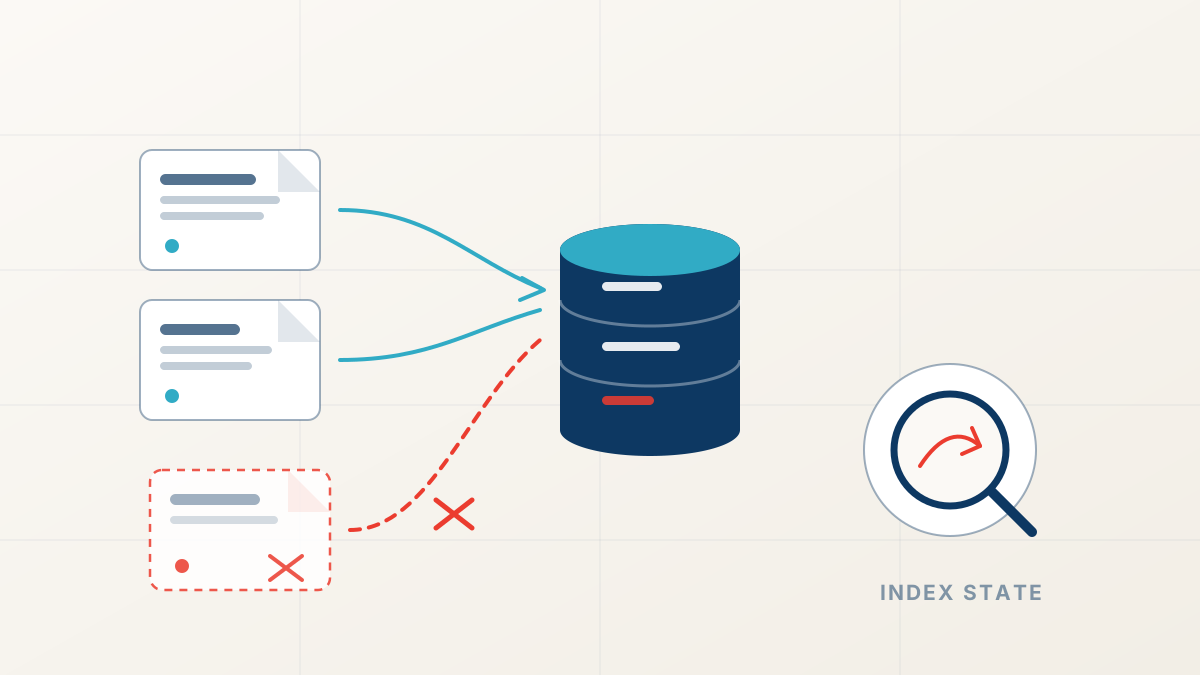
Even more damaging is the soft 404 trap. When a product goes out of stock, many platforms leave the page live at an HTTP 200 OK status, but replace the purchase interface with a prominent "Out of Stock" banner, hide product specifications, and remove customer reviews. Google's automated systems detect that the page no longer provides transactional utility and classify it as a soft 404. Once marked as a soft 404, the URL drops from the search index almost as quickly as if it were a real 404 error.
To preserve organic ranking equity, handle inventory states with technical precision. For temporarily out-of-stock items, keep the product page live, preserve all substantive specifications and reviews, and update the schema markup availability to "https://schema.org/OutOfStock". Add an email notification form for stock alerts and recommend directly related alternative products. For permanently discontinued items with historical traffic or backlinks, implement a 301 permanent redirect pointing to the direct successor model or the immediate parent category page. Never leave a dead URL or redirect hundreds of discontinued items to the store homepage.
Product schema breakage and rich snippet revocation
In ecommerce search results, organic position numbers tell only half the story. The appearance of your search snippet directly dictates click-through rates. Rich snippets that display star ratings, review counts, current prices, and in-stock badges generate significantly higher click-through rates than plain text listings.
When structured data breaks, Google revokes those rich snippet enhancements. A store can maintain position three for its top ten commercial keywords, yet experience a thirty to forty percent drop in organic clicks because the star ratings and price tags vanished from the SERP. The loss appears in Google Search Console as falling clicks alongside stable average position and impressions.
Common triggers for schema revocation include missing required fields in Product and Offer markup. Google regularly updates its structured data requirements, frequently making previously optional properties required. If a theme update omits priceCurrency, drops priceValidUntil, or fails to output a valid itemCondition, Google's rich result parser flags the markup as invalid. Another severe issue is review schema manipulation or nesting errors: nesting AggregateRating outside of the main Product entity, or using third-party review widgets that inject markup via slow client-side JavaScript after Googlebot has finished parsing the page. Regularly test top product URLs in Google's Rich Results Test tool and monitor the Merchant Listings report in Search Console for warnings.
Validate Product and Offer JSON-LD markup
Run core product URLs through Google Rich Results Test to confirm required properties like price, availability, and currency contain no errors.
Inspect Search Console Merchant listings report
Check for sudden spikes in invalid items or missing property warnings that coincide with the traffic decline.
Verify review markup nesting and authenticity
Ensure AggregateRating schema is nested directly inside the parent Product entity and reflects verified customer reviews.
Audit schema delivery in raw HTML
Confirm that JSON-LD structured data is present in the initial server HTML response rather than injected asynchronously via client-side scripts.
Merchant Center feed mismatches and SERP grid displacement
Modern Google search results blur the boundary between organic search listings and shopping feeds. Google increasingly replaces classic organic text listings with visual product grids, popular products modules, and shopping knowledge panels. These visual modules pull data directly from Google Merchant Center feeds as well as organic structured data.
When an online store updates prices, sales promotions, or stock status on the website without immediately synchronizing its Google Merchant Center feed, Google's automated crawlers detect a data mismatch. If the price on the product page says forty dollars while the Merchant Center feed says fifty dollars, Google issues an account warning or suspends the affected items for price mismatch policy violations. This removes your products from free shopping listings and organic visual grids.
Furthermore, when Google tests new SERP layouts, a query that previously showed ten standard organic blue links may suddenly feature a large four-column visual shopping grid above position one. If your products lack valid Merchant Center integration and clean Product schema, your site gets pushed far below the visual fold. Track your performance in the Search Console "Merchant listings" and "Product snippets" tabs under the Search Appearance filter to see whether your traffic drop stems from SERP layout displacement.
The prioritized ecommerce recovery checklist
Recovering from an ecommerce ranking collapse requires a systematic, prioritized response. Do not change category text or launch redesigns until you resolve structural indexation and crawl defects.
Begin by segmenting your lost traffic in Search Console to determine whether category collections or individual product pages suffered the decline. Next, inspect Crawl Stats to verify whether faceted filter parameters are flooding Googlebot with near-duplicate pages. If parameter bloat is present, implement robots.txt disallow rules on non-canonical filter strings and point canonical tags to the clean base category URL. Review the Page Indexing report for soft 404 spikes caused by out-of-stock merchandise, and replace broken links with 301 redirects to relevant alternatives. Finally, validate your Product JSON-LD schema and ensure your Merchant Center feed synchronizes pricing and availability in real time.
If your ecommerce store is experiencing sudden ranking drops across category collections or product lines, our team provides an exhaustive ranking drop diagnosis that identifies the exact technical and architectural root causes. You can also run immediate checks on header responses, redirects, and canonical tags using our free SEO audit tools to pinpoint indexation errors across your product catalog.
Ecommerce Traffic Recovery
Recover lost store rankings and revenue
FastestRank diagnoses store crawl traps, variant canonical errors, and schema defects to restore your category and product page rankings.
Sources
FastestRank Editorial
Ranking Recovery Desk
FastestRank Editorial dates and diagnoses ranking drops for business owners, separating verified causes from guesswork before any recovery work begins.
Continue Reading
Related Articles
Technical SEO
How to Find Out Why Your Website Lost Traffic
Analytics confirms that visitors stopped arriving, but only Search Console reveals why. Here is the step-by-step diagnostic workflow to isolate dropped pages, queries, and crawl errors.
FastestRank Editorial8 min read

Technical SEO
Lost Rankings After a Website Redesign: Diagnostic Guide
Organic traffic collapsed right after launching a new website design. Here is how to diagnose dropped redirects, stripped headings, broken internal links, and JavaScript rendering failures.
FastestRank Editorial7 min read
Technical SEO
Ranking Drop Diagnosis: How to Isolate the Exact Root Cause
When rankings collapse, random fixes create new failure points. Here is the forensic framework to isolate server drops, rendering errors, indexation loss, and algorithm updates into four clear quadrants.
FastestRank Editorial9 min read