
Technical SEO
Ranking Drop Diagnosis: How to Isolate the Exact Root Cause
When rankings collapse, random fixes create new failure points. Here is the forensic framework to isolate server drops, rendering errors, indexation loss, and algorithm updates into four clear quadrants.
Key takeaways
- Diagnose ranking drops across four progressive layers: infrastructure, DOM rendering, index integrity, and algorithmic evaluation.
- Audit server access logs and Search Console Crawl Stats first to eliminate DNS failures, 5xx server errors, and robots.txt fetch timeouts.
- Compare raw server HTML directly against rendered DOM snapshots to catch client-side hydration crashes and missing internal links.
- Inspect Google-selected canonicals in the URL Inspection tool to detect authority splitting and unintended soft 404 exclusions.
- Separate SERP layout changes from true rank declines by cross-referencing impressions and position data against click-through rates.
The four-quadrant diagnostic model
When website rankings drop, the immediate reaction in many marketing departments is frantic activity. Content writers update opening paragraphs, developers install caching plugins, and agency managers order fresh link campaigns. These uncoordinated adjustments almost always fail because they address arbitrary symptoms rather than the root failure mechanism. Even worse, modifying page templates and rewriting titles while a site is falling creates confounding variables. You can no longer determine whether a future change aided recovery or introduced a new penalty.
A disciplined ranking drop diagnosis requires isolating the failure to a specific technical layer before attempting any remediation. We organize this diagnostic process into four sequential quadrants. The inspection moves outward from network infrastructure to search engine interpretation: Quadrant 1 evaluates server delivery and crawler access. Quadrant 2 validates Document Object Model (DOM) generation and client-side rendering. Quadrant 3 checks indexation eligibility, canonical consolidation, and directives. Quadrant 4 assesses algorithmic quality re-evaluations and competitor SERP movements.
Each quadrant leaves a distinct data pattern in Google Search Console, server access logs, and web analytics. If you test these four domains in strict sequence, you eliminate guesswork and identify the single breaking point responsible for your lost organic traffic.
If server latency, DNS timeouts, or robots.txt fetch errors block search crawlers, rewriting titles or updating copy will not restore visibility. Fix infrastructure access before adjusting editorial elements.
Quadrant 1: infrastructure and crawl health
Search engines cannot rank content they cannot retrieve. Quadrant 1 examines whether Googlebot can reach your host, resolve domain records, and receive clean HTTP 200 OK responses at normal crawl volume. When infrastructure breaks, organic visibility often falls off a cliff within 24 to 48 hours.
Your primary diagnostic tool for this layer is the Crawl Stats report in Google Search Console (located under Settings > Crawl Stats). Start by checking the Host Status card. This panel records DNS resolution failures, server connectivity drops, and robots.txt fetch errors over the past 90 days. If the host status displays an active warning for robots.txt fetching, Googlebot pauses crawling across your entire domain. Search engine safety protocols dictate that if a server returns a 5xx error or connection timeout when requested for /robots.txt, crawlers assume the file might contain disallow rules and halt crawling to avoid indexing restricted content.
Next, analyze server response times in the Crawl Stats timeline. If average response latency climbed from 300 milliseconds to several thousand milliseconds, Googlebot automatically throttles its request rate to prevent overloading your server. High latency delays the discovery and refreshing of updated URLs. To verify these findings, inspect your raw web server access logs (Nginx, Apache, or edge CDN logs such as Cloudflare). Filter requests by verified Googlebot IP addresses using reverse DNS lookup. Look for sudden spikes in 500 Internal Server Errors, 502 Bad Gateway responses, or 503 Service Unavailable codes that coincide with the start of your ranking decline.
Review Host status history in Search Console
Verify that DNS resolution, server connectivity, and robots.txt fetch report zero errors over the last 90 days.
Audit edge firewall and security rules
Confirm that web application firewalls or bot-management settings have not inadvertently rate-limited verified Googlebot IP ranges.
Inspect server access logs for 5xx error spikes
Calculate the percentage of crawler requests returning 500, 502, 503, or 504 status codes during the traffic drop window.
Test robots.txt HTTP response headers via curl
Ensure that your robots.txt file returns a clean 200 status with an explicit text/plain content-type header.
Quadrant 2: DOM and rendering verification
If server responses are fast and clean, the failure may reside inside the browser Document Object Model (DOM). Modern web applications built on client-rendered frameworks like React, Vue, or Angular frequently suffer from rendering failures that leave the page unreadable to search crawlers.
Google processes pages through a two-stage pipeline. The first stage crawls the raw HTML payload returned directly from the web server. The second stage sends the page to the Web Rendering Service (WRS), which executes JavaScript, downloads dependent resources, and constructs the rendered DOM. If your pages rely entirely on client-side rendering without server-side rendering (SSR) or static site generation (SSG), your substantive body copy, internal navigation links, and schema markup do not exist in the initial HTML payload. They only appear after client-side scripts execute.
When scripts throw unhandled exceptions, when API endpoints time out, or when bundlers fail to support required polyfills, the WRS builds an incomplete DOM. To Googlebot, the page looks empty or broken. A common rendering pitfall involves lazy loading. If body text, images, or product tables require user scroll events to trigger execution, Googlebot will miss them because the headless crawler expands the mobile viewport without generating physical scroll gestures. Use the URL Inspection tool in Google Search Console, click "Test Live URL", and view the rendered screenshot and HTML tab. Compare the word count and anchor tags in the rendered DOM against what a human visitor sees in a browser.
Disable JavaScript in browser settings or use curl to inspect the raw server response. If primary navigation menus, headings, and core body copy vanish, your indexation depends entirely on deferred rendering resources.
Quadrant 3: index and canonical integrity
A page can load quickly and render completely, yet still vanish from search results if indexing directives or canonical consolidation collapse. Quadrant 3 isolates how search engines catalog and group your URLs.
Begin by checking the Page Indexing report in Search Console. Look for sudden inflection points in non-indexed URL categories that align with your drop date. A common culprit is "Excluded by 'noindex' tag". Developers frequently merge code from staging environments that contains meta robots noindex tags or X-Robots-Tag HTTP headers, accidentally pushing those directives to production.
Another frequent indexing failure is canonical overriding. In Search Console, use the URL Inspection tool to evaluate your key dropped landing pages and compare "User-declared canonical" with "Google-selected canonical". Google treats rel=canonical tags as hints, not binding commands. If your internal links point to parameter variations, if XML sitemaps include redirected URLs, or if content on the page closely duplicates another URL on the web, Google may reject your declared canonical and consolidate ranking signals into an entirely different page. When Google selects a different URL as the canonical version, the original URL drops from active search results.
Inspect your pages for soft 404 classifications as well. A soft 404 occurs when a page returns an HTTP 200 OK status code while displaying an error notice, an out-of-stock message, or almost no unique content. Google's algorithms recognize the thin state of the page and drop it from the index just as if it returned a standard 404 Not Found.
“Canonical tags function as recommendations. When internal links, sitemaps, and content signals contradict your declared canonical, Google algorithms pick their own destination URL.”
Quadrant 4: algorithmic and competitive evaluation
When infrastructure, DOM rendering, and indexation pass every technical validation, the drop belongs to Quadrant 4: algorithmic re-evaluations and competitive displacement. In this layer, search engines still crawl, render, and index your pages without error, but they evaluate your content as less relevant or lower quality compared to alternative results.
To diagnose an algorithmic change, align your traffic drop date against documented Google search releases, including Core Updates, Helpful Content system rollouts, and Spam Updates. Algorithmic updates typically produce a distinct statistical signature: a step-drop where search impressions fall by thirty to sixty percent across multiple related URL clusters over a period of seven to fourteen days. This contrasts with technical failures, which usually cause sharp, vertical drops on single URLs or specific templates within forty-eight hours.
If the drop does not correlate with an official search update, evaluate SERP layout modifications. Search engines frequently introduce new interface modules: AI Overviews, Local Service packs, Video carousels, or expanded People Also Ask accordions. When Google places a four-hundred-pixel AI summary or shopping grid above organic positions, a page holding position two may retain its numerical ranking while its click-through rate collapses by fifty percent. Cross-reference your Search Console performance metrics: if impressions and average position remain stable while clicks drop, the cause is SERP feature displacement rather than ranking loss.
Finally, analyze direct competitor activity. Use position tracking tools to see if specific competitors published updated research, faster interactive tools, or more comprehensive guides on the exact queries you lost. Search intent evolves, and static pages naturally lose visibility when competing resources offer fresher data and better user utility.
The step-by-step forensic triage workflow
To systematically diagnose your traffic loss without making hasty mistakes, follow this chronological triage protocol. Document your findings at each step before touching any code or content.
First, verify client-side tracking. Ensure that Google Tag Manager containers are firing and cookie consent banners are not blocking analytics tags. Second, compare Search Console data using a matched fourteen-day date comparison to identify the specific URLs and queries that lost clicks. Third, check Crawl Stats and server access logs for DNS errors, 5xx server responses, and robots.txt blocks. Fourth, run URL inspections to verify rendered DOM completeness and confirm Google-selected canonical tags match your declarations. Fifth, map residual losses against Google update dates and SERP feature introductions.
If your internal review uncovers conflicting signals or wide-scale ranking losses across complex templates, our team provides an in-depth ranking drop diagnosis that isolates verified causes with forensic evidence. For fast checks on server header status and canonical consistency, our free SEO audit tools give you immediate diagnostic data without software installations.
Forensic Drop Diagnosis
Stop guessing why your rankings dropped
FastestRank isolates the exact technical failure, dates the drop against server logs and search updates, and provides a verified recovery plan.
Sources
FastestRank Editorial
Ranking Recovery Desk
FastestRank Editorial dates and diagnoses ranking drops for business owners, separating verified causes from guesswork before any recovery work begins.
Continue Reading
Related Articles
Technical SEO
How to Find Out Why Your Website Lost Traffic
Analytics confirms that visitors stopped arriving, but only Search Console reveals why. Here is the step-by-step diagnostic workflow to isolate dropped pages, queries, and crawl errors.
FastestRank Editorial8 min read

Technical SEO
Lost Rankings After a Website Redesign: Diagnostic Guide
Organic traffic collapsed right after launching a new website design. Here is how to diagnose dropped redirects, stripped headings, broken internal links, and JavaScript rendering failures.
FastestRank Editorial7 min read
Technical SEO
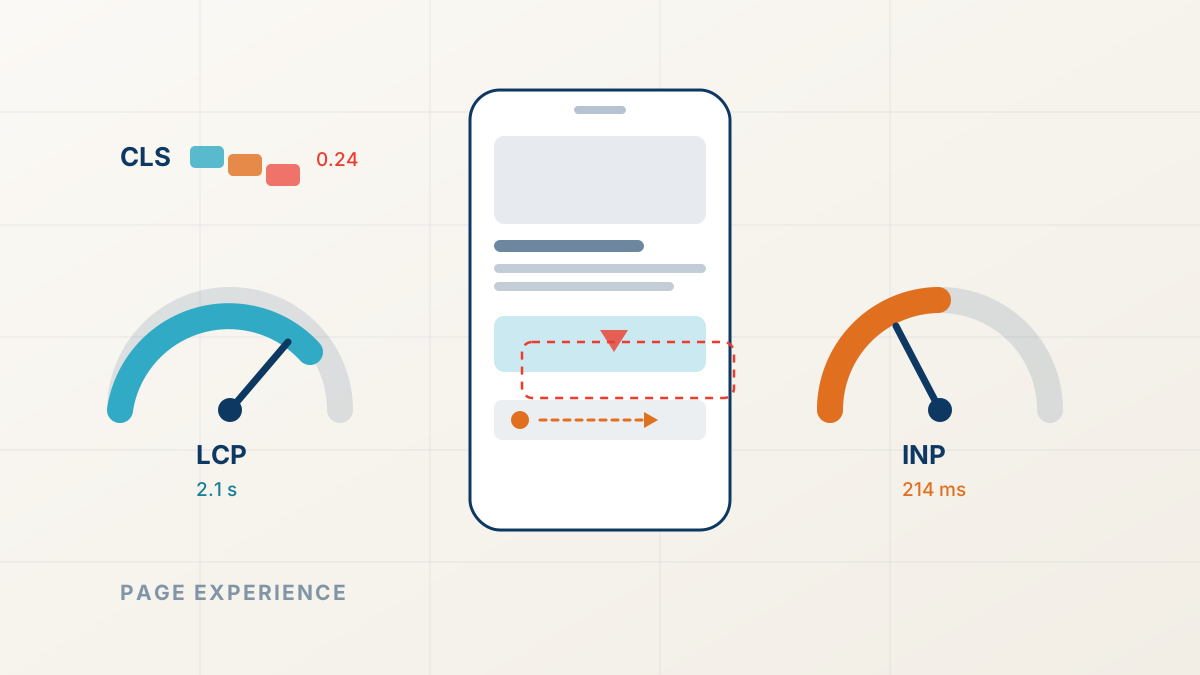
Core Web Vitals and Ranking Drops: The Page Experience Factor
Slow, shifting pages lose close ranking contests. Here is how page experience signals work, how to read field data honestly, and what to fix first.
FastestRank Editorial6 min read